The script is scheduled to run daily to ensure real-time relevancy of its functions.
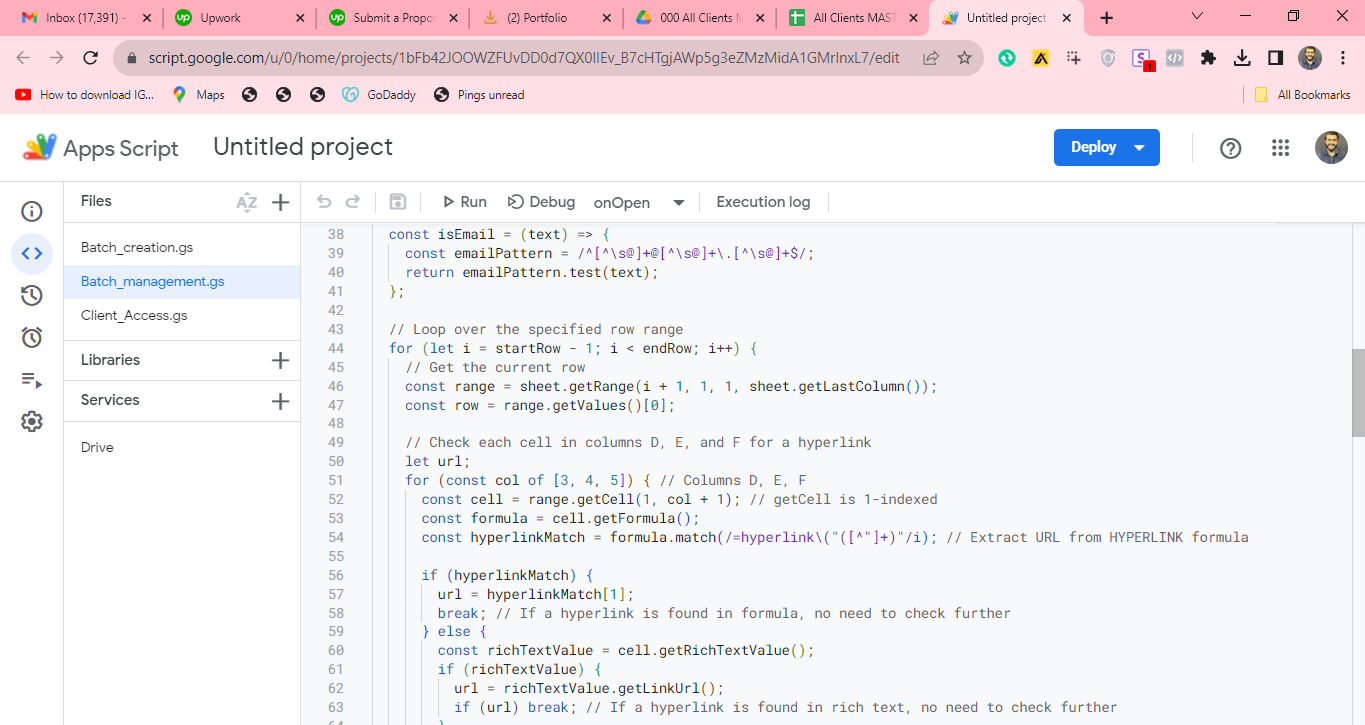
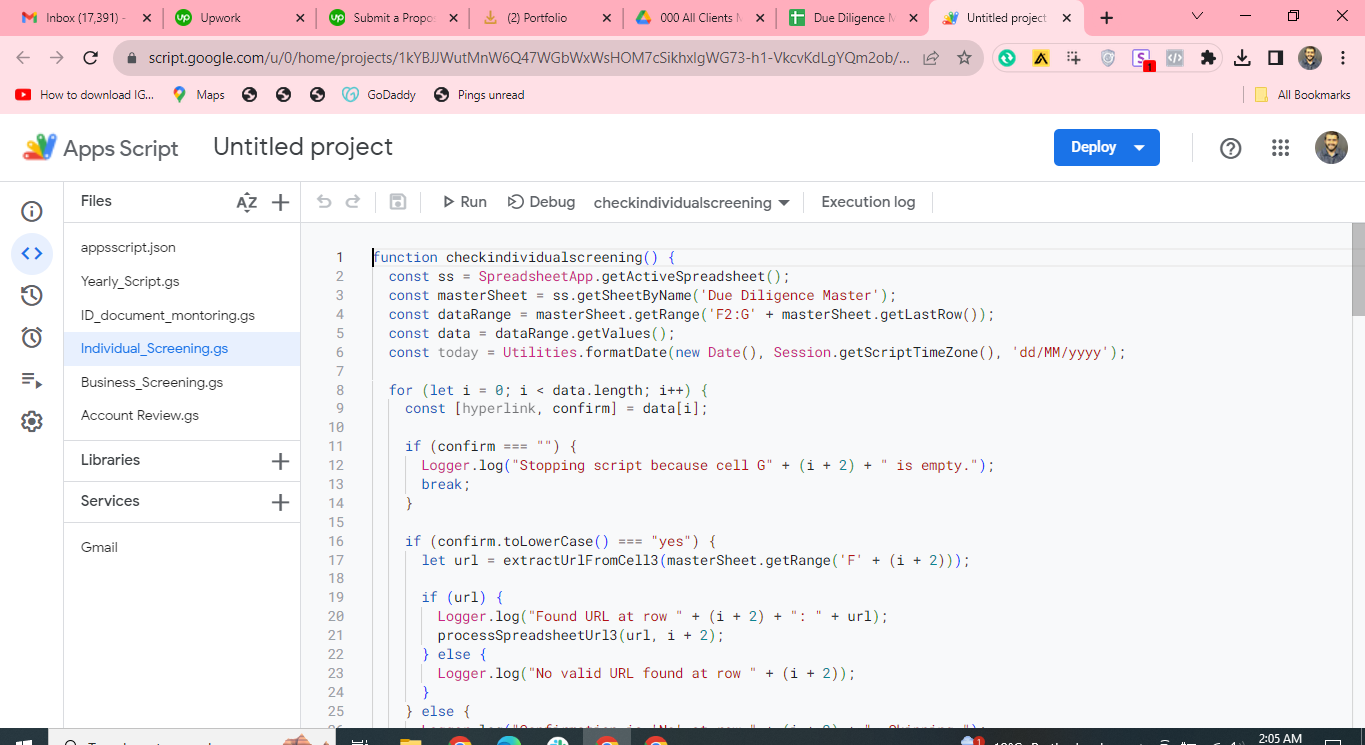
It begins by accessing specific files through provided links within a master file.
Once the file is opened, the script navigates to a particular sub-tab where date-specific data is stored.
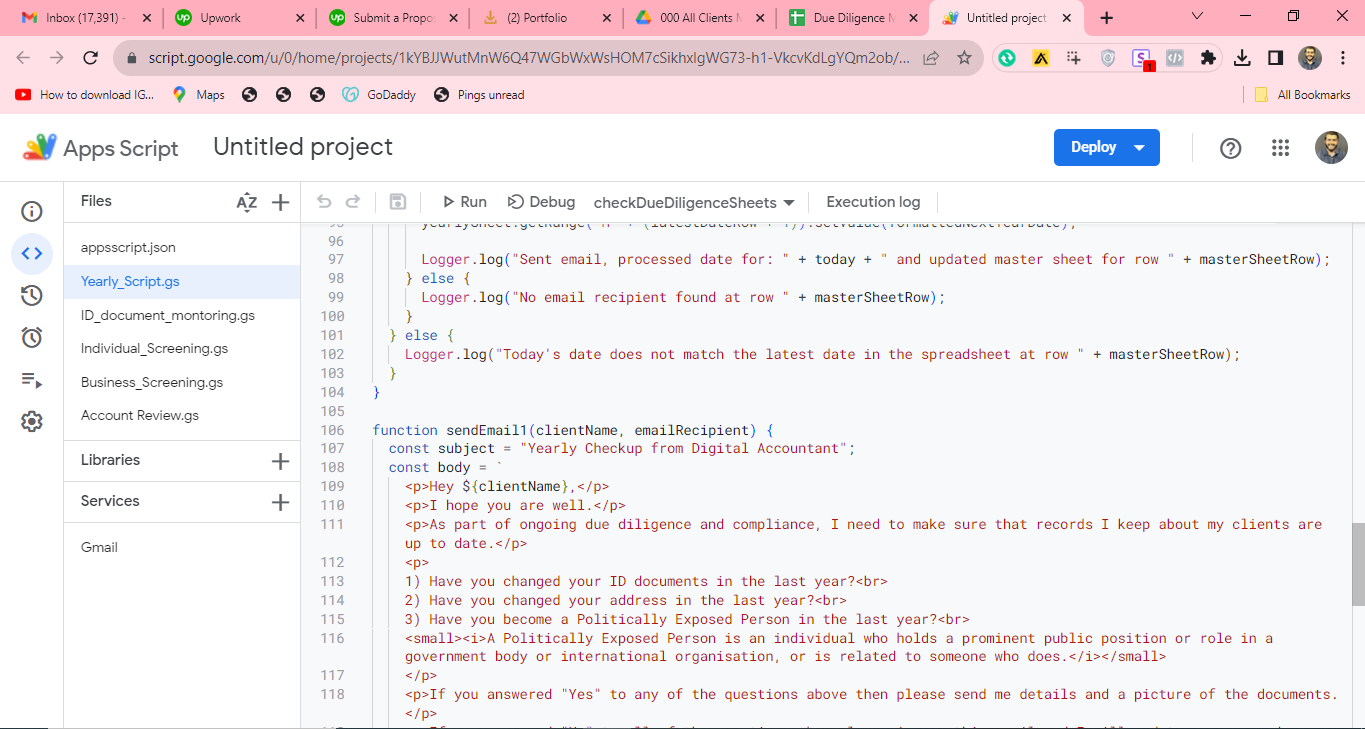
It compares the stored dates against the current date to identify matches.
When a match is found, indicating a task or event due that day, it triggers the sending of customized email reminders to designated recipients.
This automation ensures that reminders are sent out without fail, improving the consistency of communications and task management.
Extracting a hyperlink from a spreadsheet cell to locate the right file before checking its dates.A due-diligence checkup variant: comparing today’s date against the sheet before sending a scheduled compliance email.The companion screening script that walks each row and extracts the linked spreadsheet before processing it.
 Google Apps Script