Monday.com Timeline Stage Alerts to Slack and Close Zap
Zapier Automations
Works with
Zapier
monday.com
Slack
Python
Close
This Zap watches the timeline stages of Monday.com items and notifies the team in Slack each time an item reaches a new stage. Items on the Monday.com boards follow a programme timeline: 45, 60 and 90 days in, and 60, 45 and 1 day left. When an item reaches one of these stages, the Zap triggers, updates the item and sends a message to the team’s Slack channel.
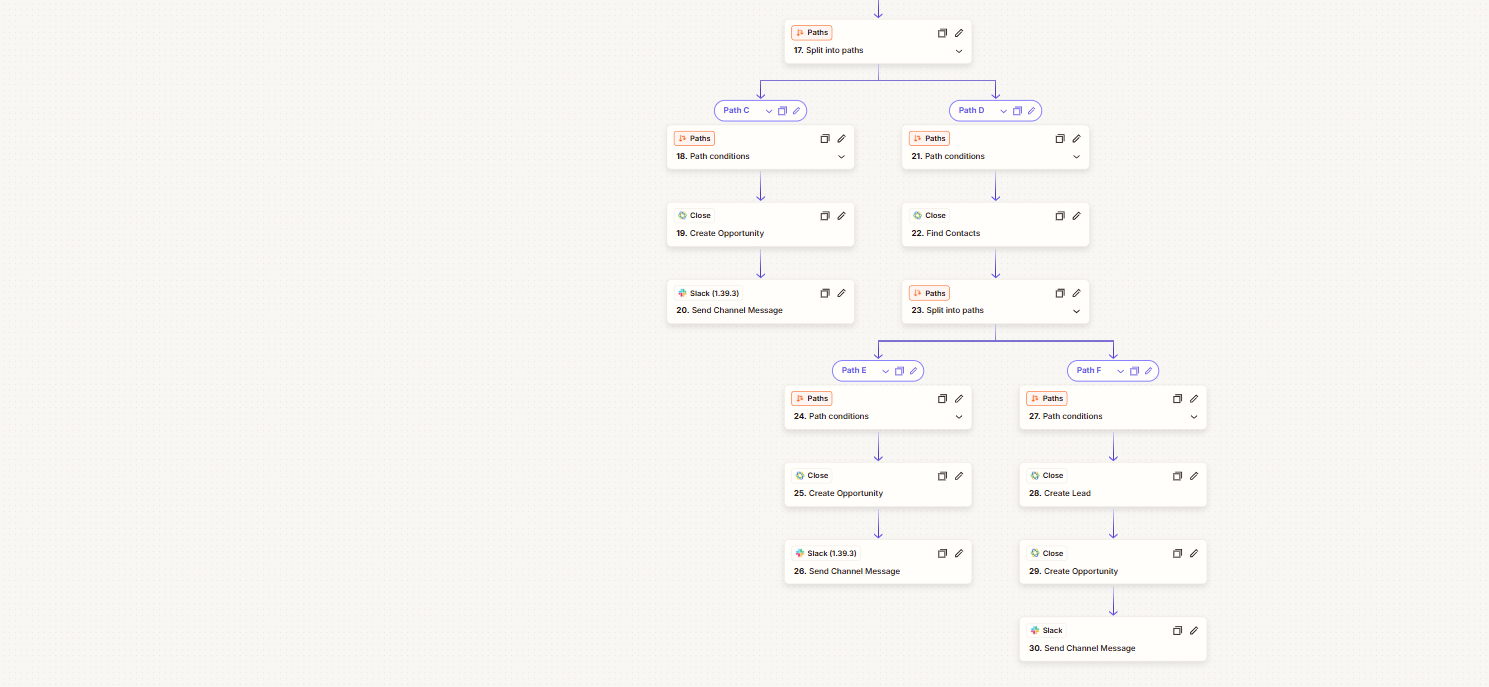
At the 45-days-left stage it also checks Close for the opportunity: if it is found, the stage is updated, and if not, a new opportunity is created. A Slack notification goes out either way.
How it works
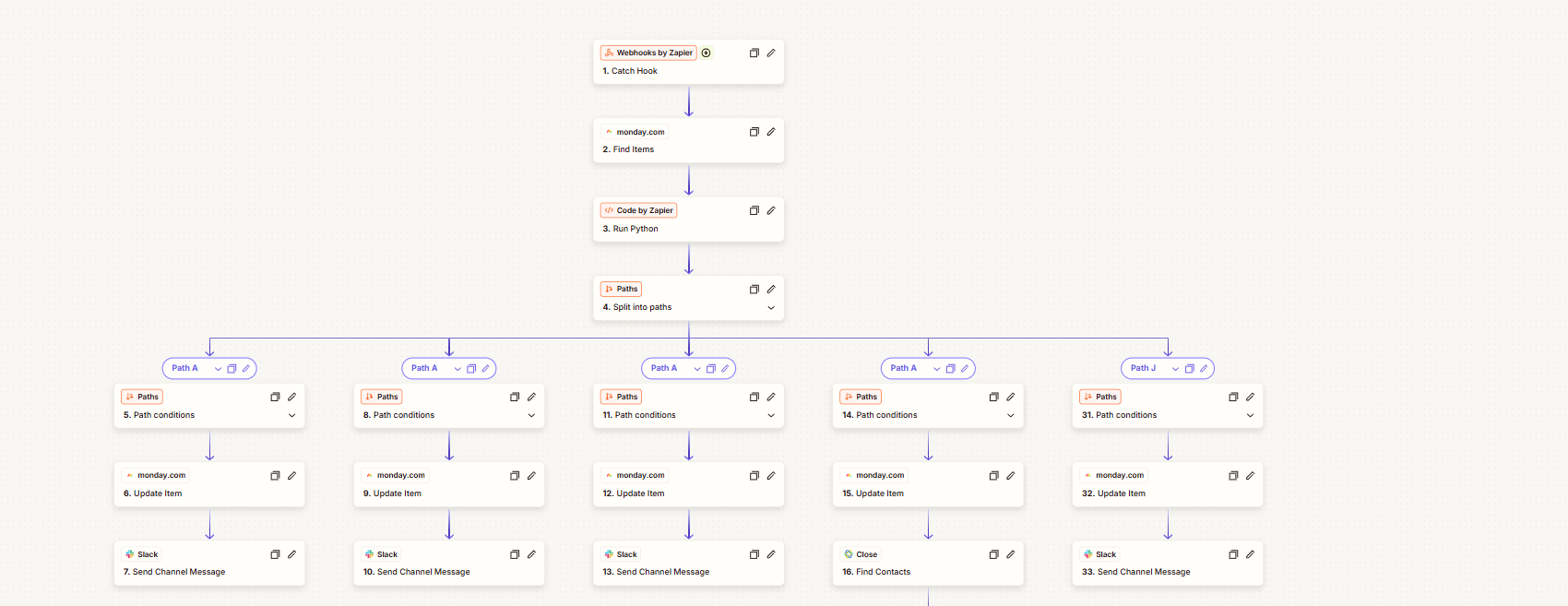
Starts on a webhook: a Webhooks by Zapier “Catch Hook” step starts the Zap when an item reaches a stage.
Finds the item: looks the item up in monday.com.
Works out the stage: a Code by Zapier step runs Python, then Paths split the Zap into branches for the different timeline stages.
Updates monday.com: each branch updates the item.
Notifies the team: each branch ends with a Slack channel message.
Handles Close: one branch looks up contacts in Close and creates a lead and an opportunity where needed, before notifying Slack.
Steps 1–16 and 31–33: the webhook trigger, the monday.com lookup, the Python step, and the Paths that update items and notify Slack.Steps 17–30: the Close branches that find contacts and create leads and opportunities, each ending in a Slack message.
 Zapier Automations