TidyCal Booking to LeadConnector and Google Sheets Zap
Zapier Automations
Works with
Zapier
TidyCal
LeadConnector
Google Sheets
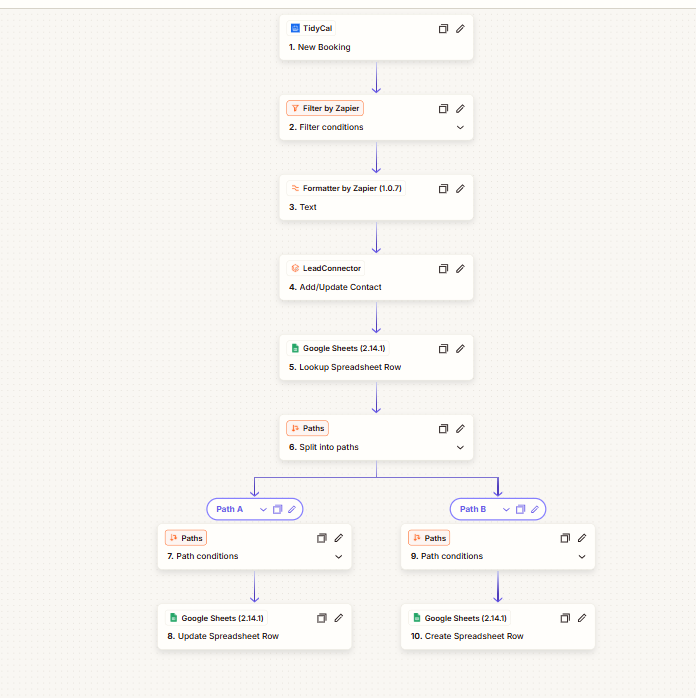
This Zap runs when a new booking is made in TidyCal, adds or updates the contact in LeadConnector, and records the booking in Google Sheets. After a filter and a text formatting step, it looks up the matching row in the spreadsheet and then splits into two paths, so each booking ends up in the sheet.
How it works
Starts on a new booking: the TidyCal “New Booking” trigger starts the Zap.
Filters and formats: a Filter by Zapier step checks conditions and a Formatter step works on text.
Updates the CRM: adds or updates the contact in LeadConnector.
Looks up the sheet: finds the matching row in Google Sheets.
Splits into two paths: one updates the spreadsheet row and the other creates a new row.
The ten-step Zap: a TidyCal booking trigger, filter and text formatting, LeadConnector, a Google Sheets lookup, and two paths that update or create a row.
 Zapier Automations